
Parker's Rewards
Parkers AdminFood & Drink
4.1304.00 Reviews
- Version
- 43.01.07
- Installs
- 100.00K
- Age Rating
- Everyone
Screenshots
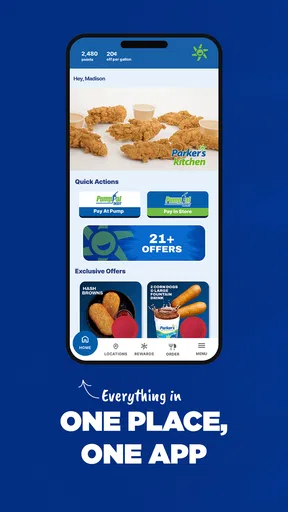
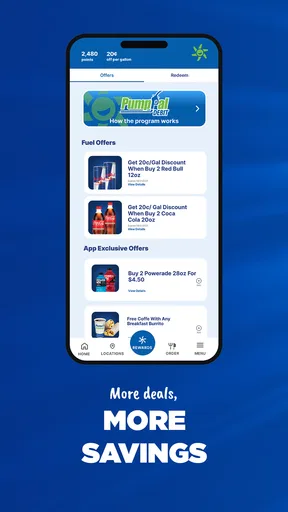
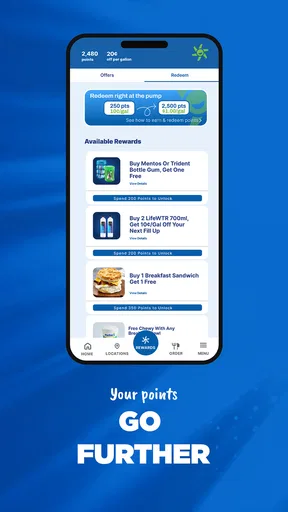
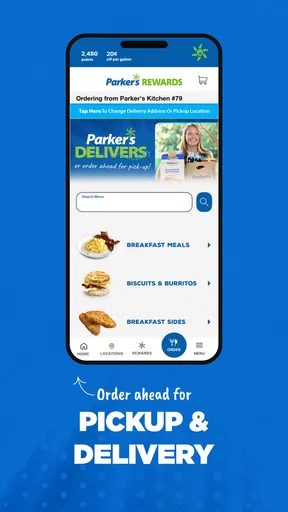
Our Review of Parker's Rewards
 Analysis by Appyee
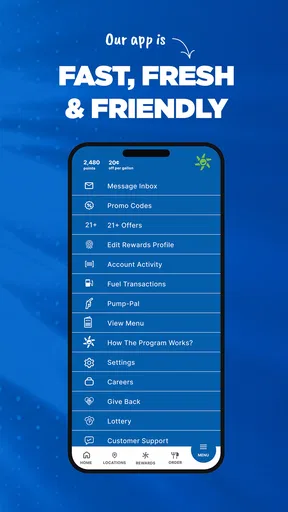
I tried Parker's Rewards as the kind of app you open quickly before ordering a drink, rather than something you spend time exploring. That is the right way to understand it: this is a focused Food & Drink rewards app from Parkers Admin, built around joining the loyalty program and claiming a welcome drink. It is free, rated for Everyone, and the central reason to install it is simple enough to explain to a friend in one sentence: sign up, use the rewards program, and receive a free large drink.
That narrow purpose is both its appeal and its limitation. I would not install it expecting a restaurant guide, a meal-planning tool, a delivery service, or a general-purpose payment wallet. I would install it if Parker’s is already somewhere I visit and I want the loyalty experience available on my phone. The app has reached over 100K installs and holds a 4.1 average from around 761 ratings, which suggests that plenty of people find the basic idea useful, while also leaving room for the occasional account, redemption, or usability frustration that often affects loyalty apps.
How Parker's Rewards feels in everyday use
The first impression is that this app is designed for a quick decision: join Parker’s Rewards, look for the available benefit, and keep the app ready for the next visit. The store short description is simply “Parker’s Rewards,” and that restraint matches the product. It does not try to disguise a small loyalty utility as a huge digital platform. For me, that makes the app easier to judge because the question is not whether it can do everything; the question is whether it makes returning to Parker’s more worthwhile.
A realistic use case would be a morning stop when I am already buying fuel or picking up something to drink. Instead of relying on a paper offer, trying to remember a phone number, or hoping a cashier can locate an old promotion, I can use the rewards app as the digital home for the program. The useful habit is to open it before ordering, not after the transaction is complete. That small change matters with any loyalty service: checking the reward first reduces the chance of discovering that I needed to activate or present something earlier.
The welcome offer is the strongest reason for a first-time download. A free large drink gives the app an immediate purpose, especially for someone who already passes a Parker’s location. However, I would treat that benefit as an introduction to the rewards program rather than the entire long-term value. Once the initial drink is used, the app has to remain convenient enough that I remember it during future visits. If Parker’s is not part of my normal route, the welcome reward alone may not justify keeping another app installed.
What the current version is good at
The current version is 43.01.07, and it runs on Android 7.0 or later. That relatively broad operating-system reach is helpful for people who keep an older Android phone instead of upgrading frequently. I would still check that the device is supported before planning a visit around the app, particularly if the phone has limited storage or an outdated system setup, but the minimum version does not force users onto a recent handset.
Its strongest quality is focus. A general restaurant app may surround a loyalty offer with menus, delivery listings, reviews, promotions from many businesses, and location tools. Those alternatives are more useful when I am deciding where to eat. Parker’s Rewards is better when I have already decided that Parker’s is where I am going and only need the membership and reward experience. That difference sounds minor, but it prevents the app from becoming cluttered with information I will not use at the counter.
There is also a practical advantage to having the program on the phone: I am less likely to forget a physical card or lose a printed promotion. The benefit depends on remembering the app, of course, but a phone is usually closer at hand than a separate loyalty card. I recommend placing it somewhere easy to find rather than burying it in a folder. For a rewards app that may be opened for only a few seconds, discoverability is part of the experience.
Where the simple design can become friction
The same narrow scope means the app may feel underpowered to anyone looking for a complete Parker’s planning tool. If I want to compare nearby food choices, build a shopping list, or manage rewards from several businesses, this is not the right place. A broader retailer or restaurant app may offer more information in one screen. The trade-off is that those apps can take longer to navigate, while Parker’s Rewards is intended to keep the loyalty task straightforward.
There is another practical issue with all phone-based rewards: the process depends on a working device at the moment I need it. A low battery, poor connection, a forgotten login, or a screen that takes too long to load can turn a quick redemption into an awkward pause at the register. I would not delete every backup habit immediately after installing it. Keeping the account details accessible and opening the app before reaching the counter is a sensible precaution.
I also would not assume that installing the app automatically completes every step needed for a reward. The welcome message clearly encourages joining Parker’s Rewards, so the important action is membership enrollment, not merely downloading the software. I would finish the sign-up process, read the reward screen carefully, and confirm that the offer is visible before expecting to use it. That workflow is more reliable than treating the installation itself as proof that the benefit is ready.
What has changed, who benefits, and what still needs attention
The app was released on May 29, 2020, and the presence of a current version shows that it has continued through multiple stages of maintenance rather than remaining a frozen launch product. That is useful context for existing users: the app is not simply a one-time digital coupon. At the same time, a version number by itself does not tell me that the rewards rules, screen layout, or sign-in process have changed in any particular way, so I would separate the confirmed product state from assumptions about its evolution.
For someone installing it today, the practical benefit of that ongoing version history is compatibility with a modern app environment while still supporting Android devices as old as version 7.0. For an existing user, updating is usually the sensible choice when the store offers a newer build, because loyalty apps need to communicate reliably with current phone software. I would update before an important visit rather than waiting until I am standing at the counter, when an unexpected update or sign-in request is much more inconvenient.
The developer is listed as Parkers Admin. That is worth noting for users who are careful about installing an official rewards application, because the developer name is one of the details I would check before downloading anything that asks me to create an account. I would compare the name shown in the app store with the Parker’s branding I expect to see and avoid relying on an unrelated copycat application. This is a small step, but it is especially useful when searching for a popular brand by name.
Existing users are likely to get the most value when they treat the app as part of a repeat routine. My approach would be to open it before a regular stop, check the current reward area, and use the program consistently instead of installing it only when a friend mentions the free drink. That workflow makes it easier to notice whether the account is active and whether a benefit is available. It also reveals the app’s real long-term usefulness more honestly than the first free reward does.
Three practical habits that improve the experience
Complete enrollment before the first planned visit. I would not wait until I am in line. Joining ahead of time gives me a chance to resolve any account prompt while I still have time, and it lets me confirm that the welcome reward is associated with the membership rather than assuming the download alone is enough.
Check the reward before ordering, not while paying. This is the most useful timing tip. Loyalty offers can depend on presenting the app or following a particular redemption flow, so looking first avoids a rushed conversation at the register and makes the free large drink less likely to be wasted through a simple timing mistake.
Keep the app easy to reach and the phone ready. A loyalty app has little value if I cannot find it quickly. I would keep it on the main screen or in a clearly named folder, make sure the phone has enough charge, and avoid signing out unless there is a good reason. Those are ordinary habits, but they address the real friction of using a digital reward in a busy store.
These habits also clarify who should skip the app. If I rarely visit Parker’s, do not want another account, or prefer to keep all loyalty programs on a physical card, the benefit may not outweigh the small amount of setup. Someone who wants detailed restaurant discovery should choose a broader Food & Drink service instead. Likewise, people using iPhones should verify that the version they find is the appropriate platform release before relying on it, since the stated minimum operating system applies to Android.
How it compares with ordinary alternatives
The most obvious alternative is doing nothing: pay normally and skip loyalty tracking. That is simpler, but it also means giving up the welcome drink and any reason the program provides to return. A paper coupon can be easier to understand at a glance, yet it can be lost or forgotten. Parker’s Rewards is more convenient when my phone is already in my hand, but less convenient if I dislike app-based accounts or regularly visit places with weak connectivity.
A multi-brand rewards app is another alternative. It may reduce the number of separate applications on my phone, and it can be better for comparing offers across restaurants and retailers. The downside is that it may not handle Parker’s membership as directly as the dedicated app. I would choose Parker’s Rewards when Parker’s is a regular stop and the main goal is fast access to that specific program. I would choose an aggregator when I care more about managing many brands from one place than about a direct, focused experience.
Compared with a full Parker’s shopping or ordering platform, this app’s value is likely to be easier to understand but narrower. I appreciate that it does not ask me to learn a large system just to participate in rewards. On the other hand, users who expect menus, ordering, payment management, or detailed store information may feel that a dedicated rewards app leaves too much outside its purpose. The right choice depends on whether loyalty is the task or merely one part of a larger shopping trip.
Questions I would answer before installing
The first question is whether it costs anything to try. The app is free, so the decision is mainly about whether Parker’s is relevant to my routine and whether I am comfortable joining another rewards program. The second is whether an older Android phone can run it. Android 7.0 or later is supported, which includes devices that are no longer especially new, although real-world performance can still depend on the phone’s condition.
The next question is whether the welcome reward is useful in practice. For me, a free large drink is worthwhile if I already plan to visit Parker’s and can complete the membership steps before ordering. It is less compelling if I would make a special trip solely for the offer. I would also check the reward screen and follow its instructions rather than relying on a verbal assumption about how redemption works.
Some readers will want to know whether the app is suitable for a family. Its content rating is Everyone, so it is not presented as an adults-only product. That does not remove the need for an adult to supervise account creation or decide whether a child should use a phone at the register, but the rating makes the app broadly approachable from an age-classification perspective.
Finally, people may wonder whether the app is popular enough to trust. It has more than 100K installs and a 4.1 average from around 761 ratings, with roughly 304 written reviews. I read those figures as evidence of an established user base rather than a guarantee that every account or redemption experience will be smooth. Ratings are useful for setting expectations, but my own recommendation would still depend on whether Parker’s is a place I visit often.
What I would watch as the app continues
The most important future improvements would be practical rather than flashy. I would watch for clearer reward status, smoother sign-in recovery, and a redemption flow that makes the required action obvious before payment. Those details determine whether the app saves time or creates a delay. I would also value careful compatibility work, since supporting older Android versions is helpful only if the experience remains dependable across different devices.
I would not judge future updates by the version number alone. A new build matters when it improves the moments that users repeat: joining, finding the welcome reward, presenting it, and returning to the account on the next visit. Existing users should look for those concrete improvements in the interface and update notes rather than assuming that a higher number automatically means a better rewards program.
My overall view is positive but deliberately narrow. Parker's Rewards is a sensible free download for regular Parker’s customers who want the welcome drink and prefer a phone-based membership over paper offers. It is easy to recommend when the store is already part of your routine. I would skip it if you want a complete restaurant discovery or ordering app, dislike loyalty accounts, or would need to travel out of your way to use the reward. For the right user, its focused purpose is a strength: the best reason to install it is not curiosity, but a real Parker’s visit already on your calendar.
Verdict
Strengths of Parker's Rewards
- Earn points on eligible purchases and redeem them for rewards.
- Simple account tracking makes it easy to monitor points and offers.
- Exclusive promotions can provide extra value to regular customers.
- Digital rewards reduce the need to carry physical loyalty cards.
- The app may deliver personalized deals based on shopping activity.
Limitations of Parker's Rewards
- Rewards and eligibility may vary by participating location.
- Points can expire or be subject to program-specific restrictions.
- Some offers require activation before making a qualifying purchase.
- Frequent notifications may feel excessive for users who shop less often.
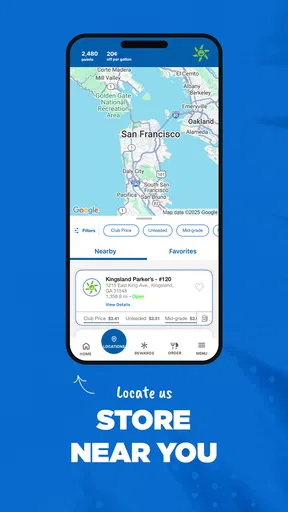
- The app’s usefulness is limited if Parker’s stores are not nearby.
Similar Picks in This Category
View All
Rappi: Food Delivery, Grocery
Rappi, Inc - Delivery3.5

McDonald’s: Cupons e Delivery
Arcos Dorados4.3

Swiggy: Food Instamart Dineout
Swiggy4.7

Blinkit: Groceries & more
Blinkit4.8

foodpanda: food & groceries
Foodpanda GmbH a subsidiary of Delivery Hero SE4.0

Zomato: Food Delivery & Dining
Zomato4.7
Frequently Asked Questions
What is Parker’s Rewards, and how does it work?
Parker’s Rewards is the loyalty program connected with Parker’s convenience stores and fuel stations. After creating an account, you can typically earn points or receive member benefits from eligible purchases, fuel transactions, promotions, and selected products. The app is designed to keep your rewards, offers, and account information in one place, although available features may vary by location and current program rules.
How do I sign up for Parker’s Rewards?
To join, download the Parker’s Rewards app, create an account, and provide the requested information, such as your name, email address, phone number, or other membership details. You may need to verify your account before using all features. During registration, read the program terms carefully because eligibility, age requirements, account limits, and promotional conditions can differ depending on your region.
How can I earn and redeem rewards in the app?
Rewards are generally earned by identifying your membership at checkout, scanning the app when supported, or completing qualifying purchases and promotions. Once you meet the applicable requirements, available rewards may appear in your account and can be redeemed at participating Parker’s locations. Always check the offer details, expiration date, purchase restrictions, and redemption instructions before relying on a reward.
Does Parker’s Rewards offer fuel discounts or special promotions?
The program may include fuel savings, member-only prices, digital coupons, bonus-point events, or other promotions, depending on the current campaign and participating location. Not every offer is available to every user, and some promotions may require activation in the app before making a purchase. Review the individual terms carefully, especially restrictions involving fuel type, transaction limits, and expiration dates.
Is Parker’s Rewards free, and what should I know about privacy?
Joining Parker’s Rewards is generally intended to be free, but users should confirm the current terms in the app or through Parker’s official channels because program conditions can change. The app may collect account, device, location, and purchase-related information to operate the loyalty service and personalize offers. Check the privacy policy and app permissions before registering, and contact support if you need help managing your data.
